
Maintenance that starts with a photo.
Anyone can report a problem in seconds.
The maintenance team sees it straight away.
Everyone knows when it is fixed.
For organisations still running maintenance on logbooks, spreadsheets, messages and phone calls.


The same job, seen by the person who reported it and by the person who has to organise it.
Maintenance falls between the cracks.
Someone notices something broken. They write it in a logbook, send a message, phone somebody, or mention it in passing.
Most maintenance software answers those questions by asking everybody to become a maintenance-software user. SiteIQ Maintain takes the opposite approach: the person reporting the problem only has to take a photo.
Snap photo, location, send - done.
Care staff, teachers, receptionists, kitchen staff and cleaners should not need training in maintenance software. Three steps, and the note is optional.
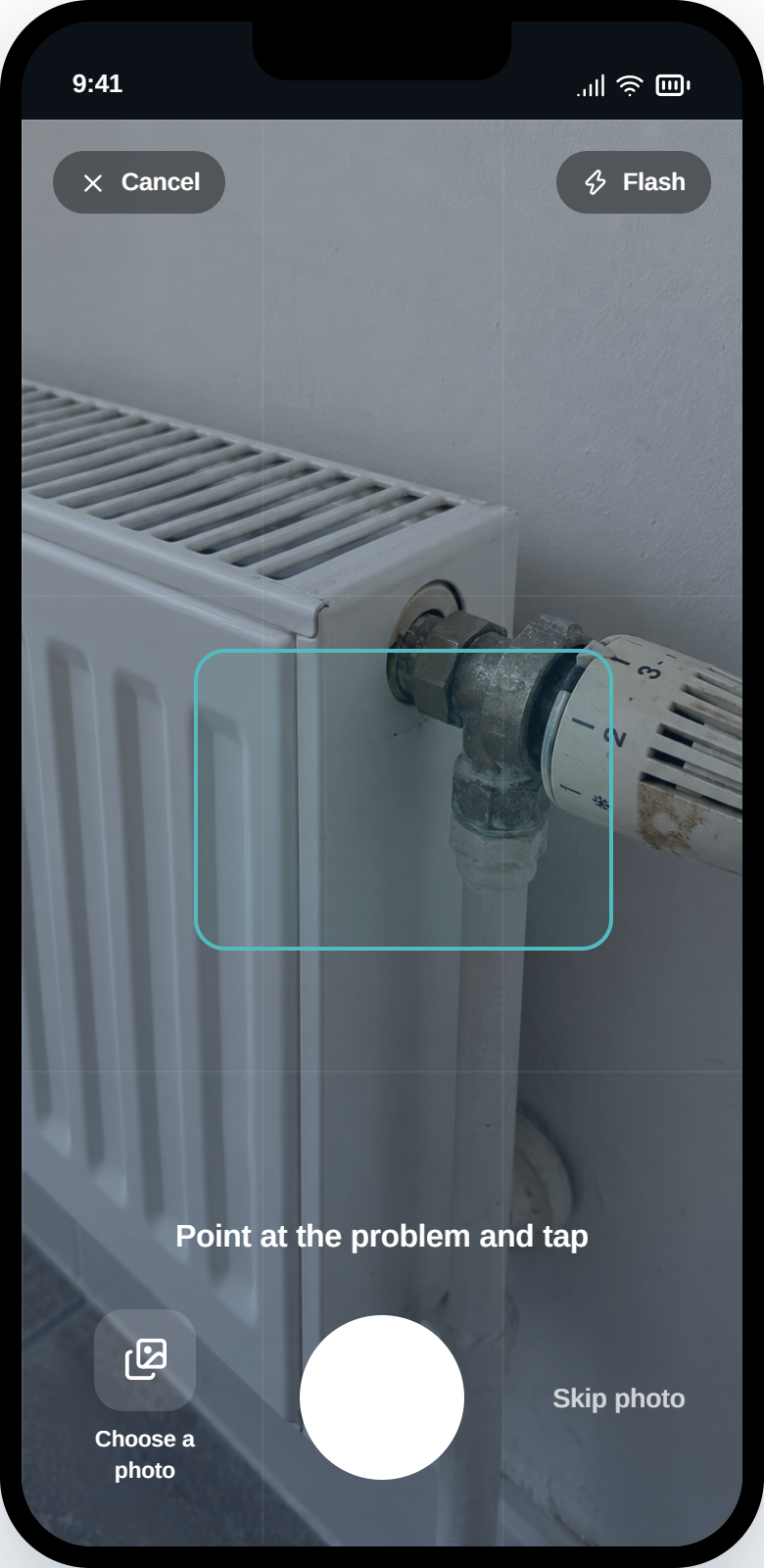
The camera opens first. A photo says more than a field of free text ever will.
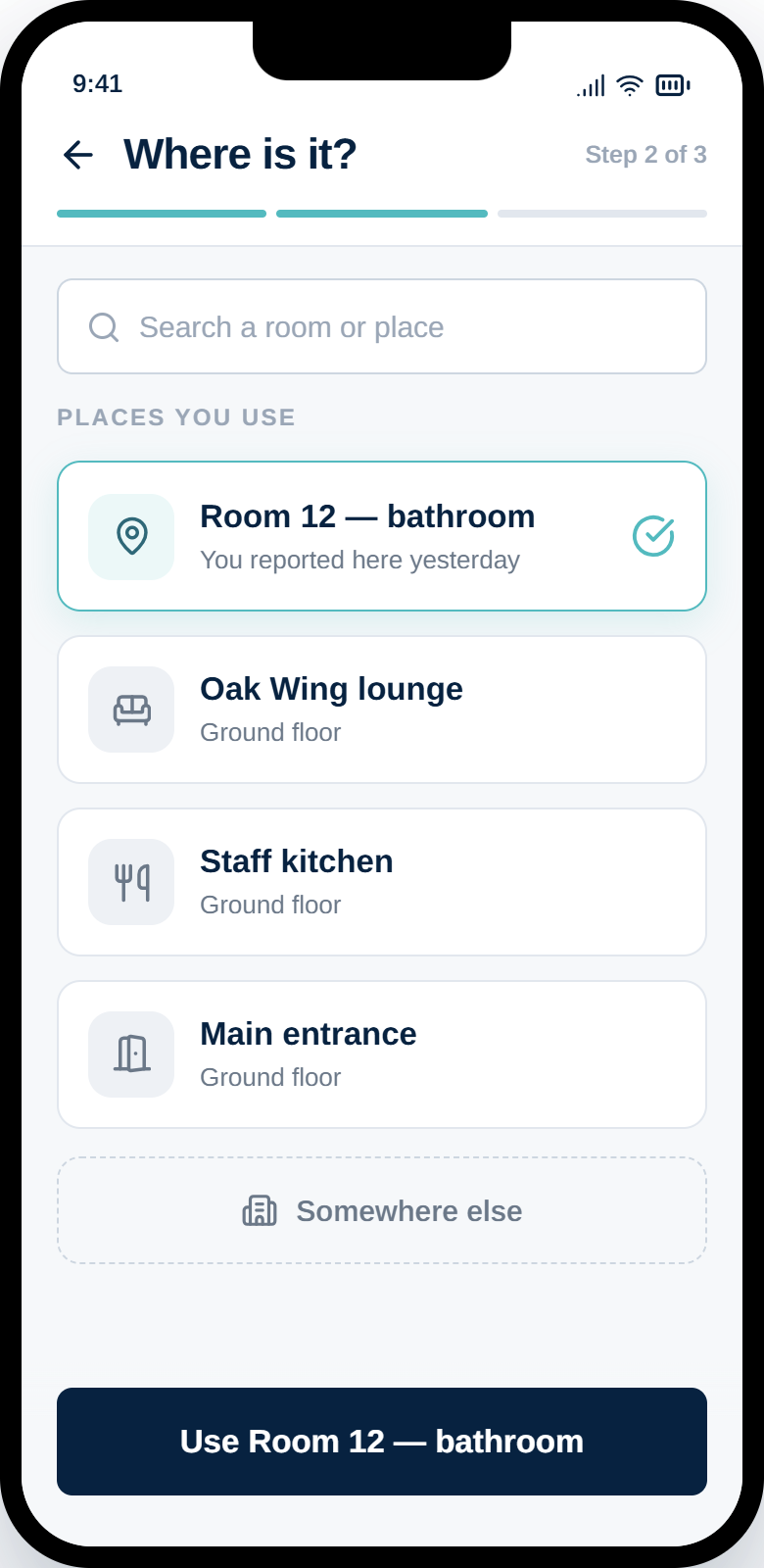
The places someone actually uses come first. Anything else is two taps away.
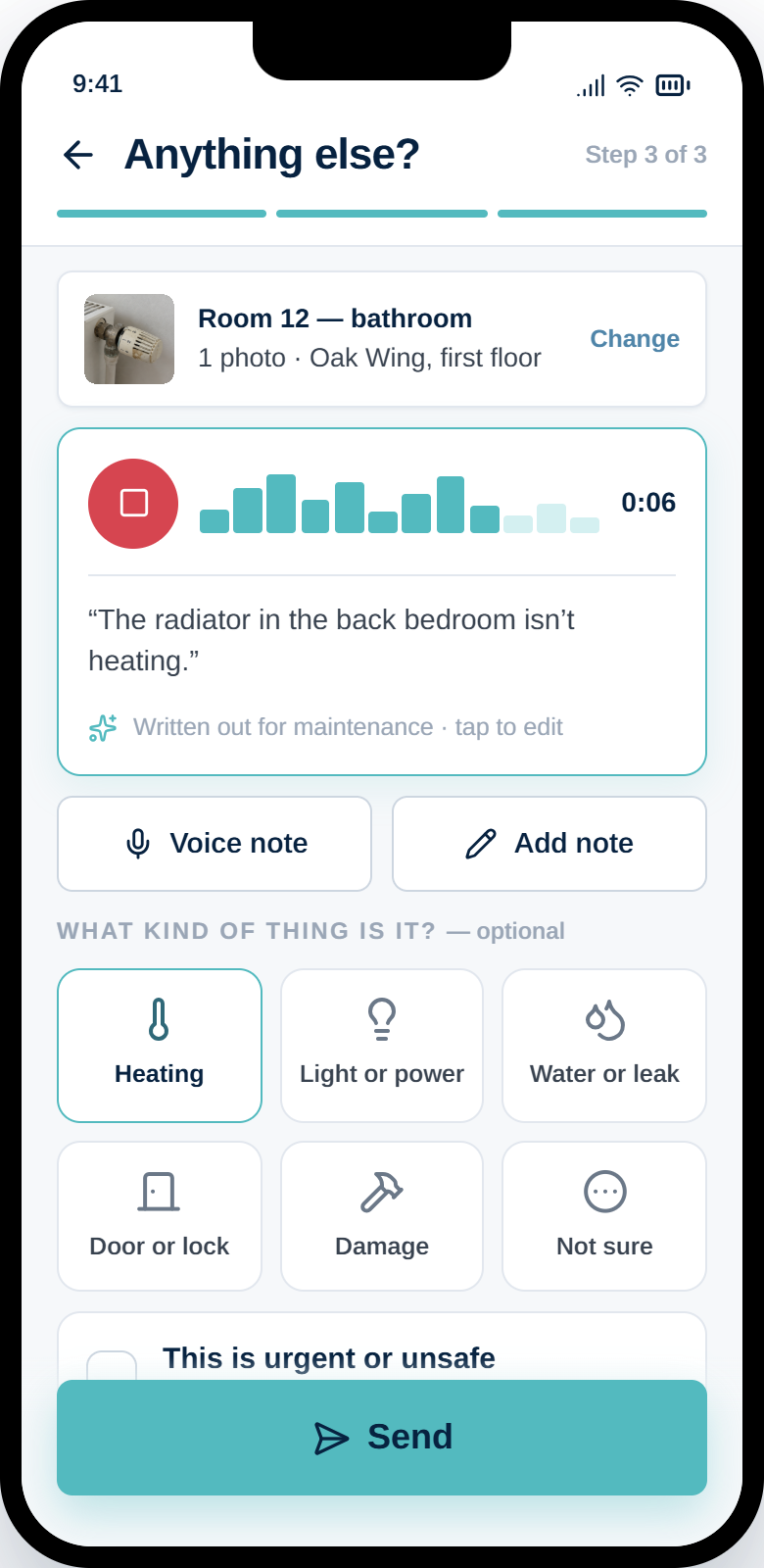
Speak instead of typing. Everything on this screen is optional except Send.
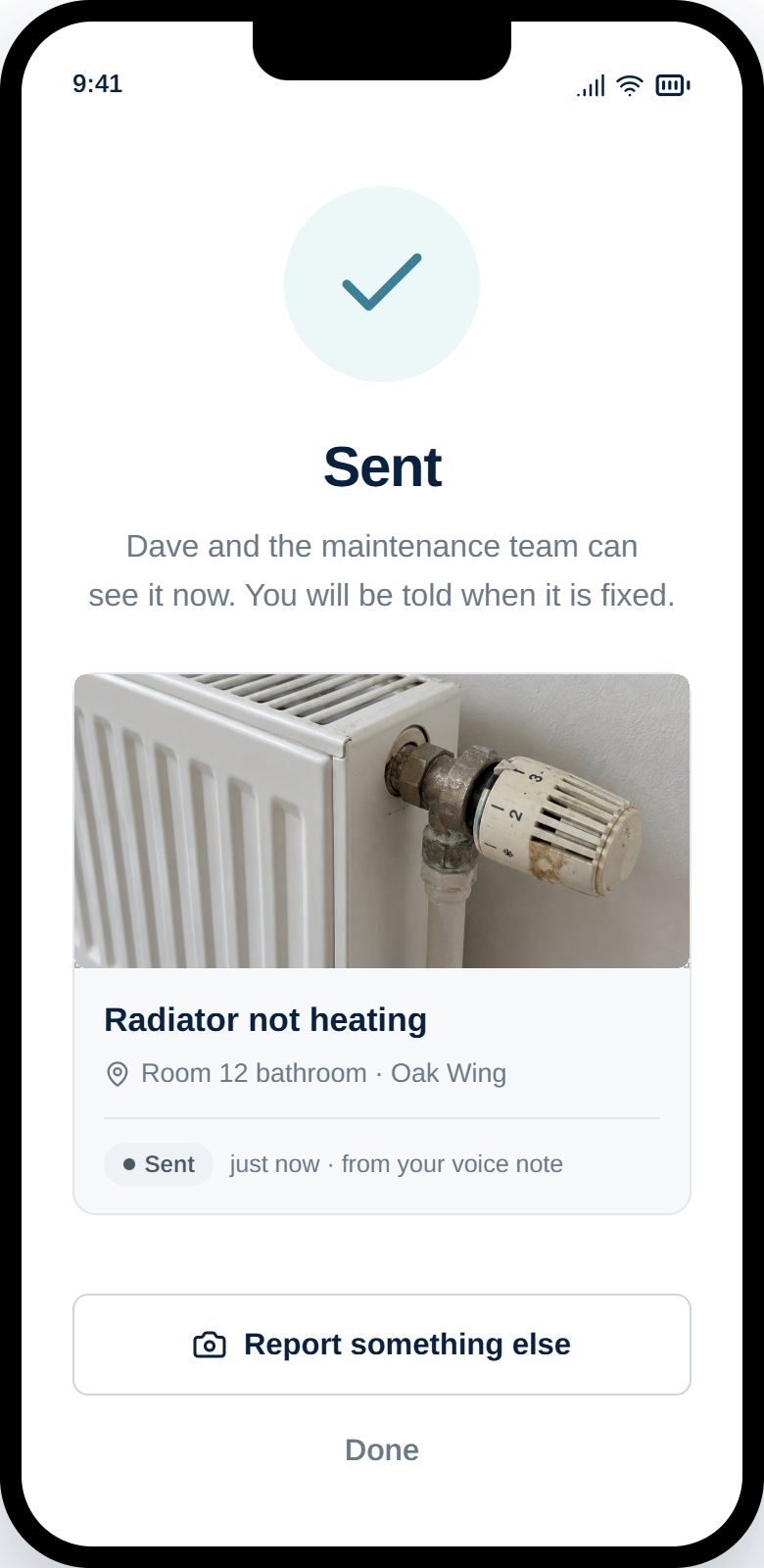
Named confirmation, not a silent ticket number. They are told when it is fixed.
A voice note is written out as plain text for the maintenance team, and the person who recorded it can edit it before sending. No jargon required, and no form to learn.
If the right place is not listed, the report still sends. A half-complete report that reaches the maintenance team beats a perfect one nobody files.
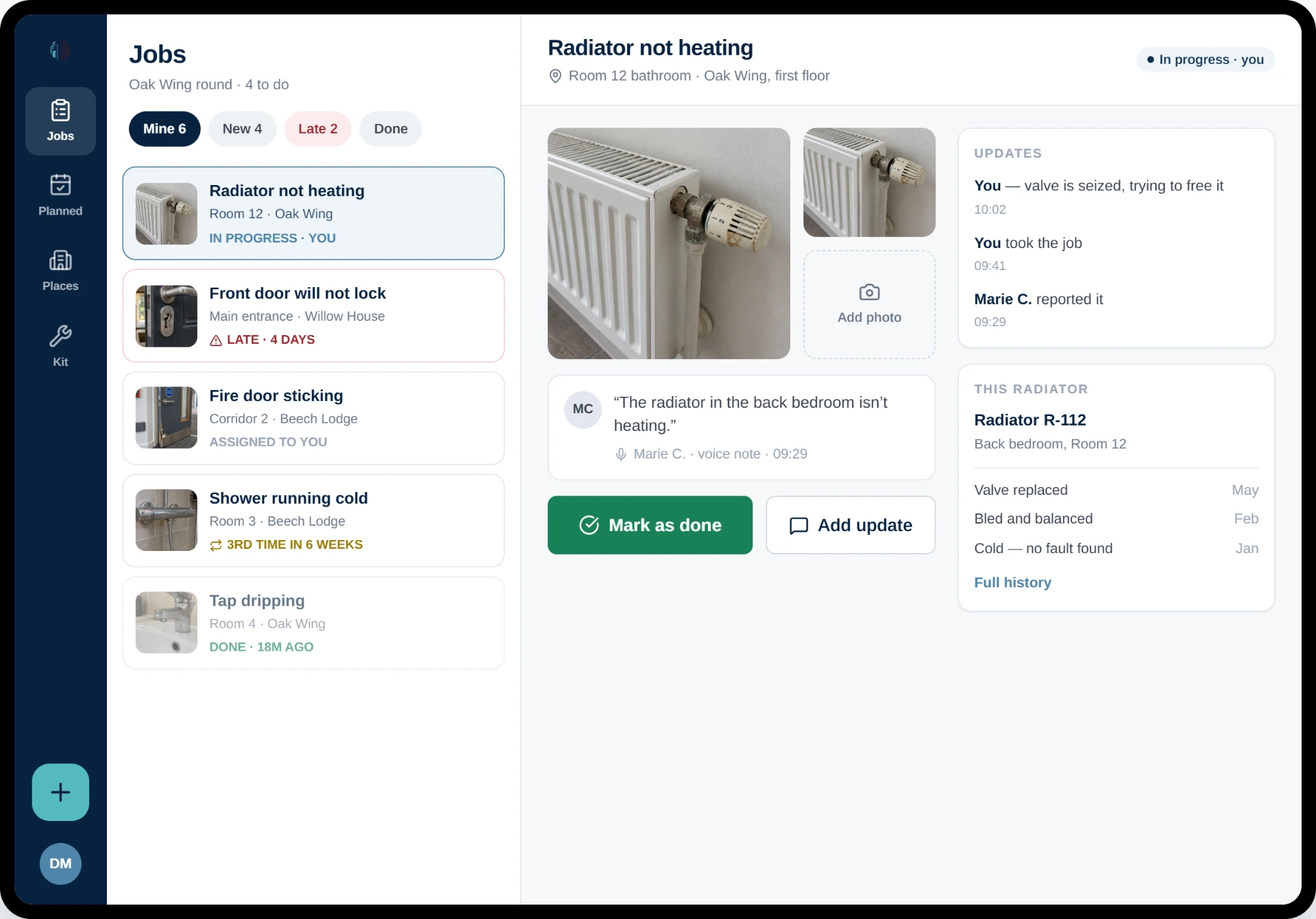
A simple job queue.
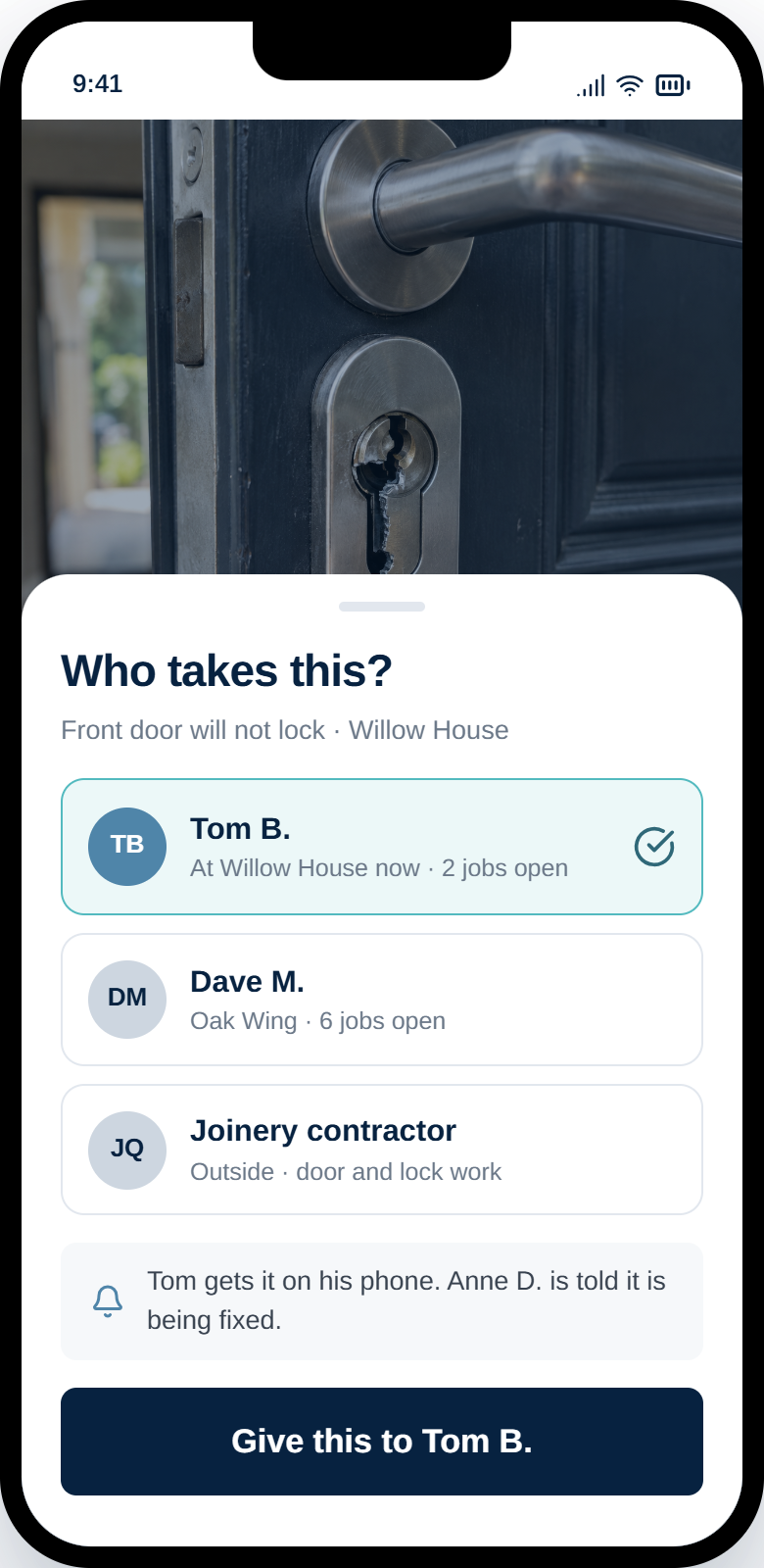
New, Mine, Late, Done. A maintenance worker can see what needs doing without reading a manual, and can take a job themselves rather than waiting to be assigned.
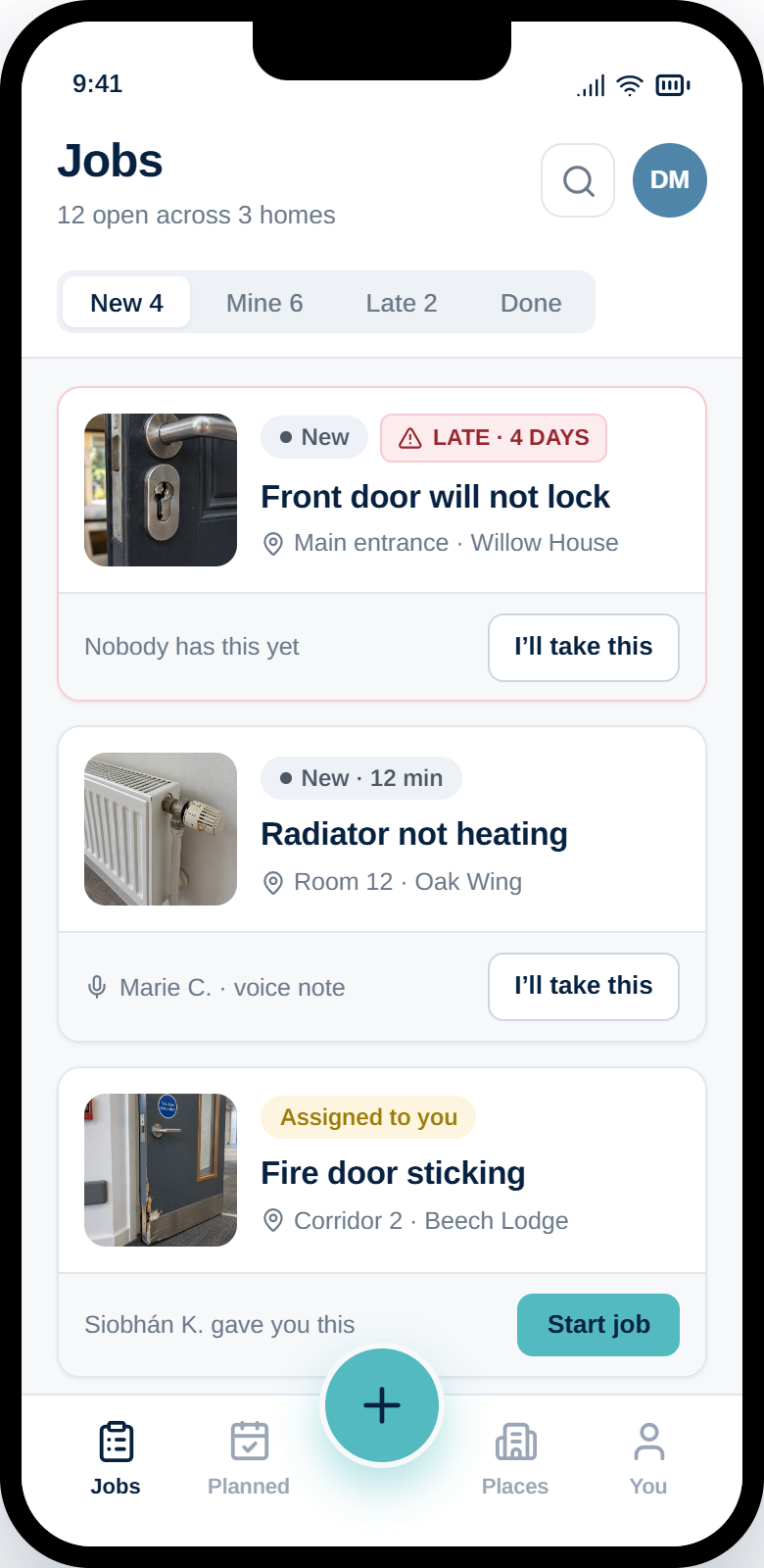
The maintenance team sees New, In progress, Done. The person who reported it sees Sent, Being fixed, Fixed. Same record, described in the language each person actually needs.
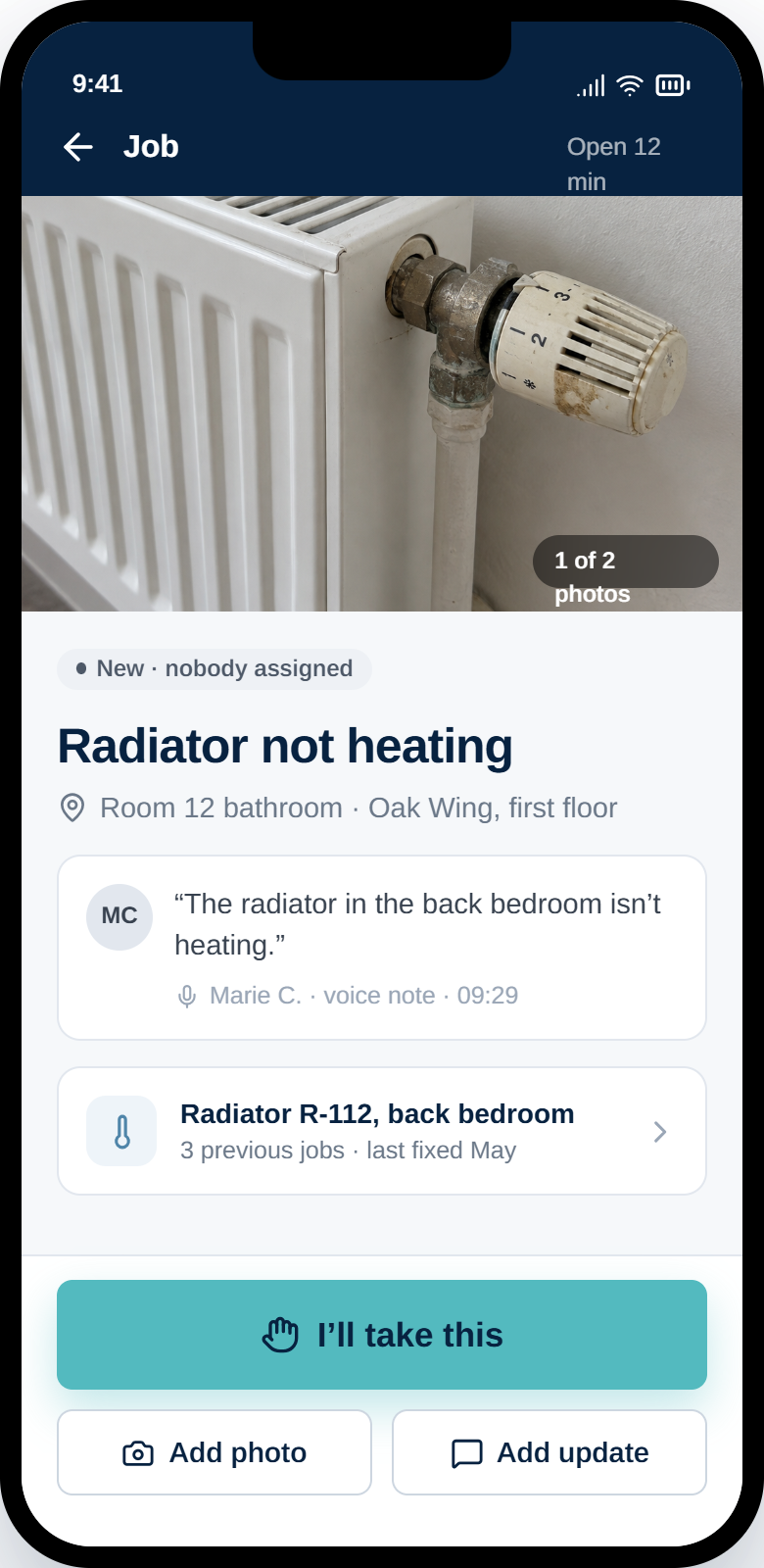
The photo, the location, who reported it, what they said — and what has already been done to this piece of equipment.
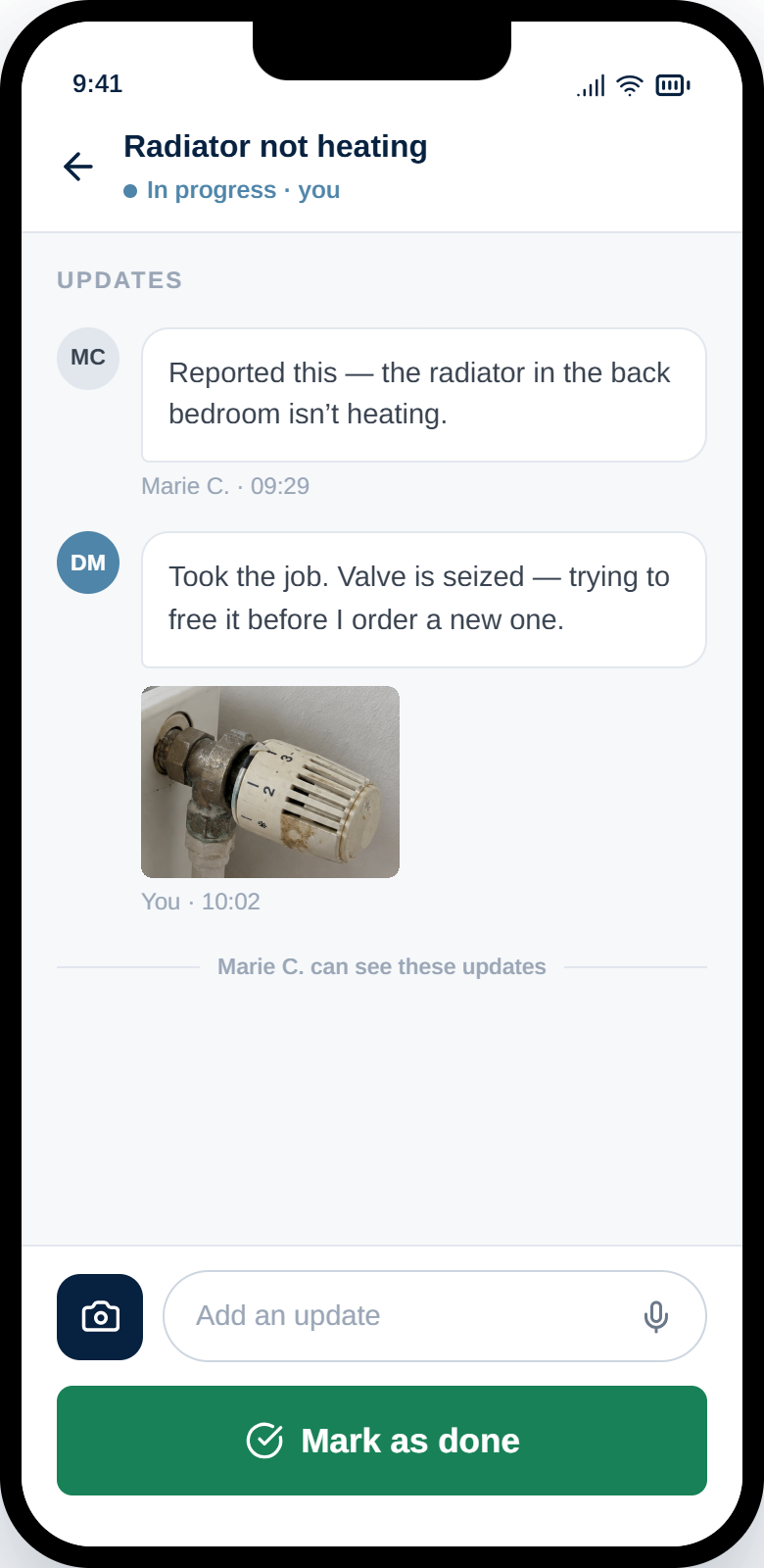
Progress notes and photos go back to the person who reported it. That is what stops the chasing.
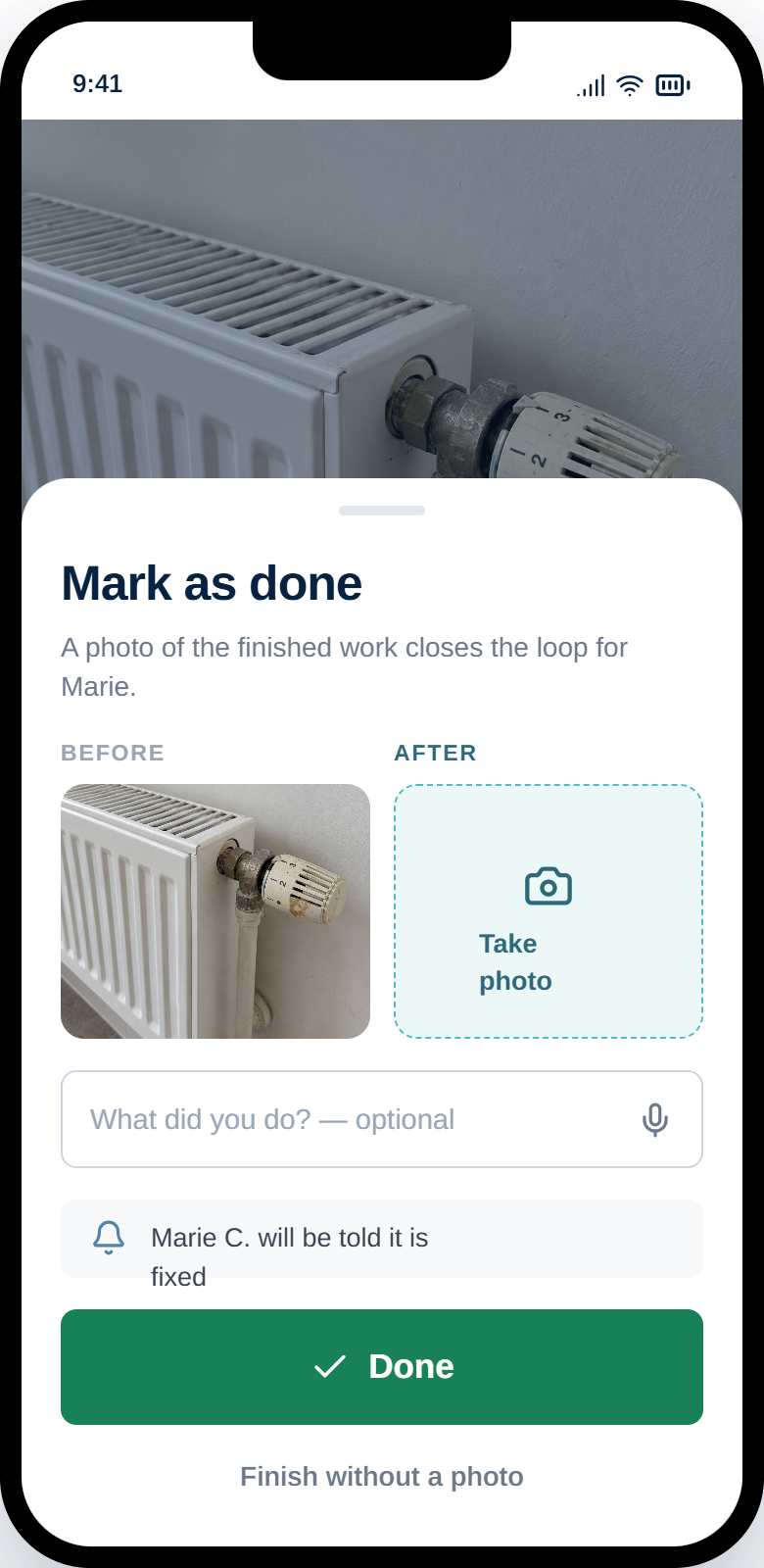
A photo of the finished work closes the loop, and becomes the evidence that it was genuinely done.
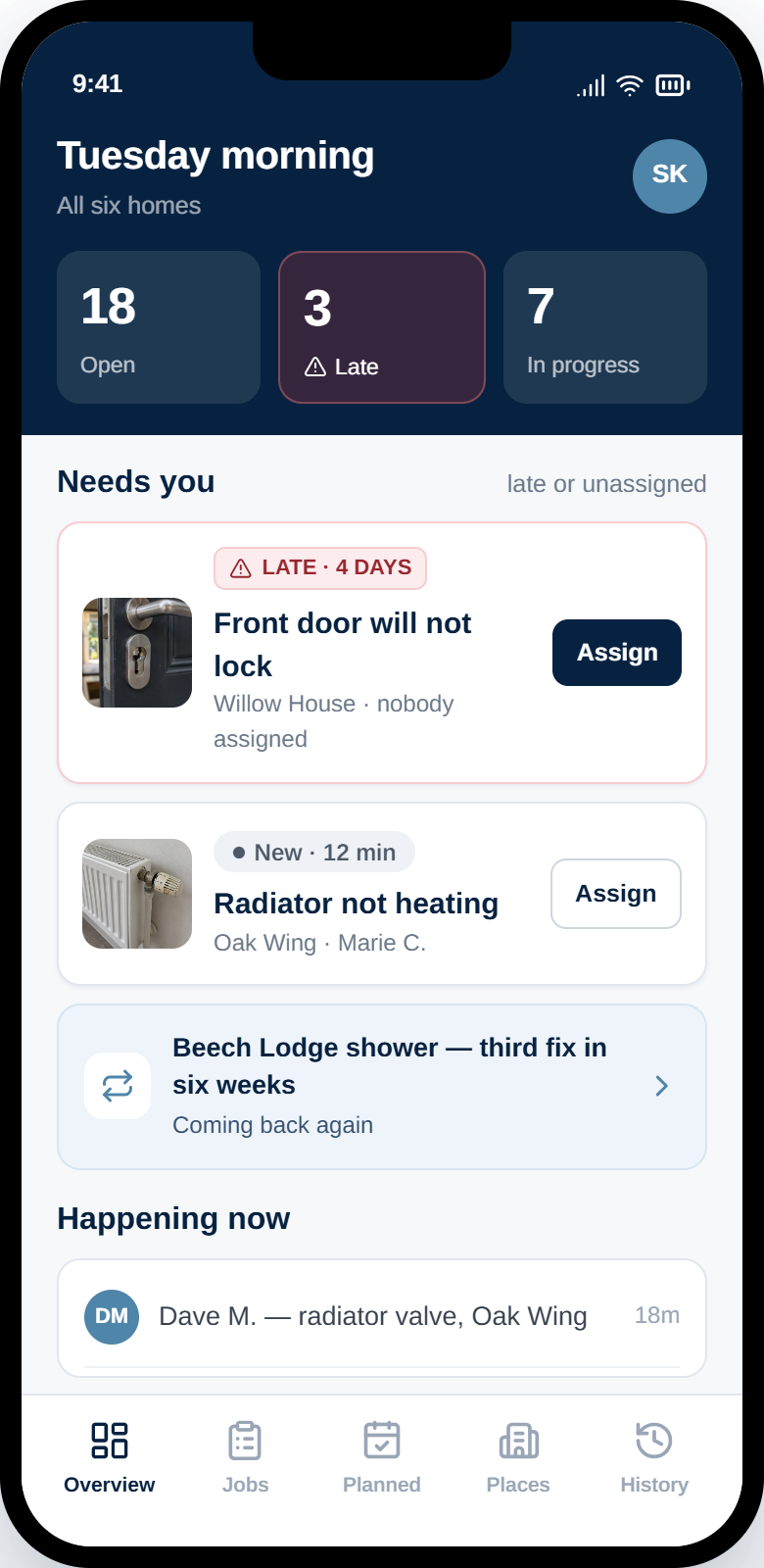
What needs attention, across every site.
Not a reporting tool to interpret at the end of the month. A working view of what is open, what is late, what nobody has picked up and what keeps coming back.
Late work and jobs nobody has taken, at the top of the screen. The two things a manager can actually act on.
Pick a person, see who is already on site and how much they are carrying. Contractors sit in the same list as staff.
Where the open work actually is, so attention goes to the site that needs it rather than the one that shouts loudest.
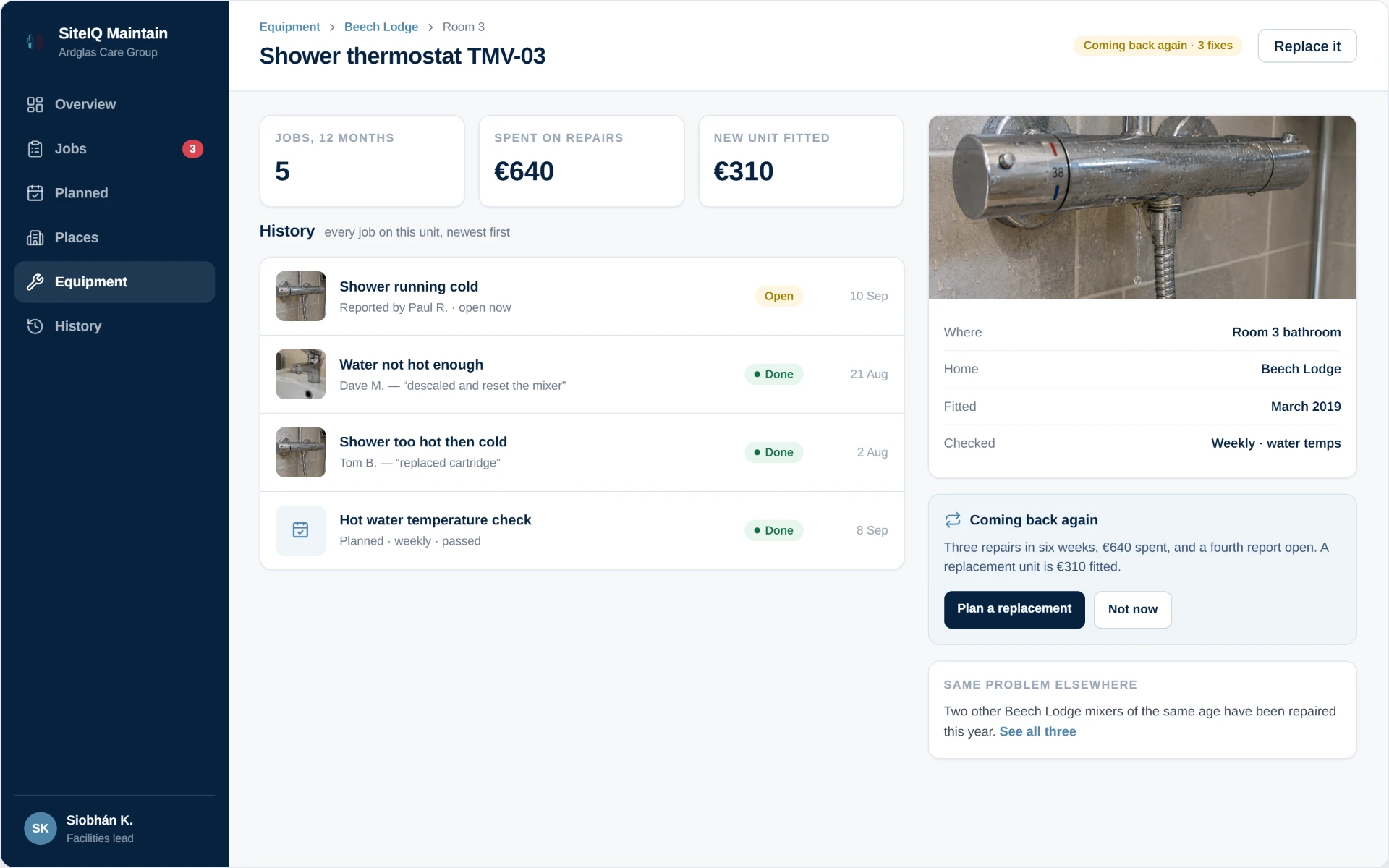
The same thing, the same place, for the third time.
A repair that keeps recurring looks like four separate small jobs in a logbook. Against a piece of equipment, it looks like what it is — a unit that should be replaced rather than repaired again.
Maintain flags the pattern, shows what has been spent against it, and lets someone make that call deliberately.
The recurring checks, without the scheduling software.
Fire doors, water temperatures, emergency lighting, extract fans. Work that has to happen on a rhythm, shown as a short list of what is due rather than a maintenance calendar to administer.
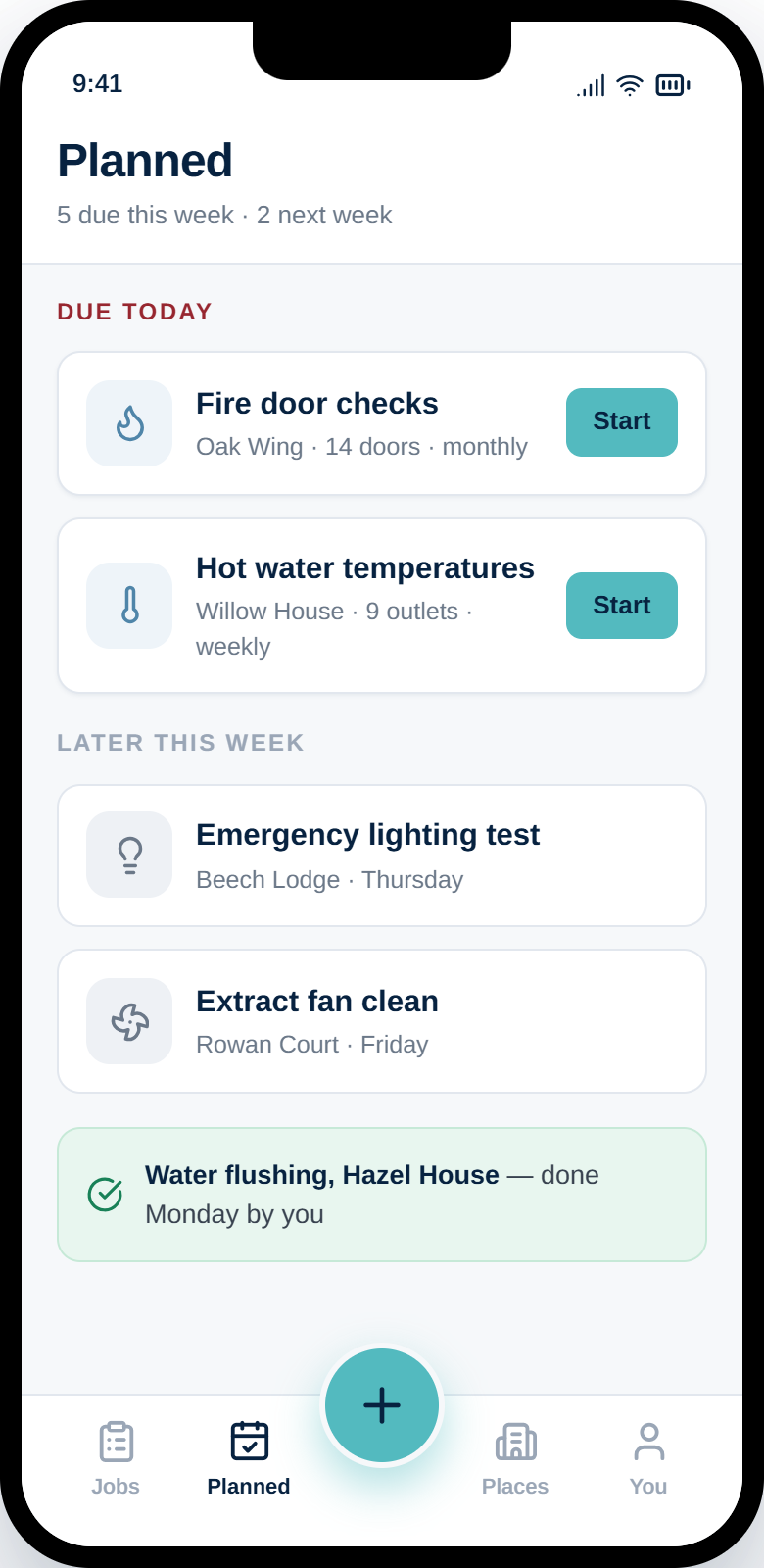
Three groupings. Anyone can see whether the week is under control in about two seconds.
A planned check runs like any other job, against the same places and equipment, and leaves the same record behind.
A passed water-temperature check sits in the same history as the repairs, so the full picture of a unit is in one place.
SiteIQ Maintain organises recurring work. It is not an engineering scheduling system, and does not try to plan labour, parts or shutdowns.
Every job lands somewhere real.
Underneath the simple reporting screen is a proper structure of sites, buildings, floors, rooms and equipment — the same foundation the rest of SiteIQ is built on.
The person reporting picks "Room 12 — bathroom" from a short list. The record underneath knows the building, the floor and the unit it belongs to.
Because jobs attach to a specific unit rather than a free-text location, every radiator, door and thermostat accumulates its own record of what has been done to it.
A code on the equipment can open the right report directly, which matters for plant and equipment that nobody can name reliably.
If your organisation already uses SiteIQ Assets or SiteIQ Workplace, this is the same underlying model of places and things.
The record builds itself.
Nobody sits down to write up maintenance history. It accumulates from the photos, updates and completions that happened anyway while the work was being done.
Before and after photos against the job, rather than on somebody's phone.
Who reported it, who took it, who finished it, and when each of those happened.
Repeat repairs on the same unit become visible instead of being spread across months.
One place to look, rather than a logbook, a mailbox and three group chats.
Simple for the person reporting. Clear for the person responsible.
Adding a second, fifth or tenth site does not make reporting any harder for frontline staff. They still see their own building and the places they use. What changes is the view above them.
Simple by design.
SiteIQ Maintain is a maintenance reporting and job-management application. If your organisation needs labour planning, parts inventory, procurement or condition-based maintenance, it needs a computerised maintenance management system — and we will tell you so.